
Over 800 addresses, a few guesses each, none of them tripping a lockout. What a real attack on an SFTP endpoint looks like, and what stops it.
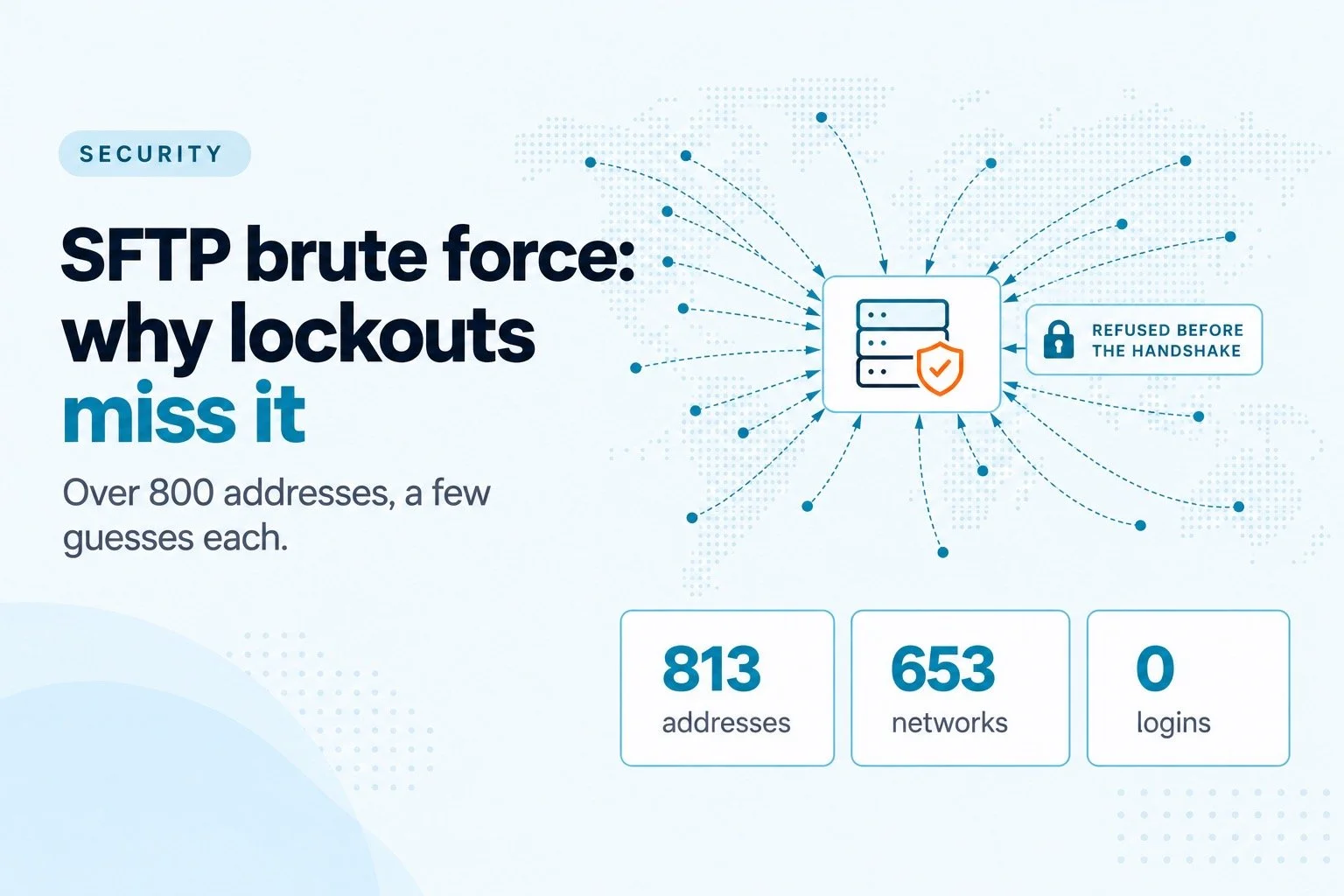
When SFTP.cloud opened for early access, the first distributed attack arrived in less than two hours. That is not bad luck. Any SFTP server on the internet gets found within hours, and from then on something is guessing passwords against it: not a person, but a botnet working through a list of usernames, patient and cheap.
Most teams assume their lockout settings handle this. Five failed logins, the address gets blocked, done. That works against a single noisy attacker. It does very little against the attacks that actually show up, because those are built specifically to stay under it.
This article walks through what a modern SFTP brute force attack looks like, why per-address lockouts miss it, how to spot one in your own logs, and what actually stops it.
What a real one looks like
That attack began on September 6, 2026. Our engineering team published the full incident write-up, with the charts; here is the shape of it, because it is typical of what any public SFTP endpoint will see.
| Minute | What happened |
|---|---|
| 0 | 56 different addresses connect within the first minute |
| 13 | Login attempts peak at 211 per minute |
| 14 | The first addresses reach five failures, and bans begin |
| 21 | Bans peak at 61 per minute |
| 25 | Refused connections overtake login attempts: from here on, most of the attack bounces off before the SSH handshake |
In total: 813 attacking addresses spread across 653 different /16 networks, about 4,900 login attempts, 268 different usernames, and no successful logins. Legitimate users kept working throughout.
The number that matters is the ratio. Roughly six guesses per address. No single source was loud enough to look like an attack on its own.
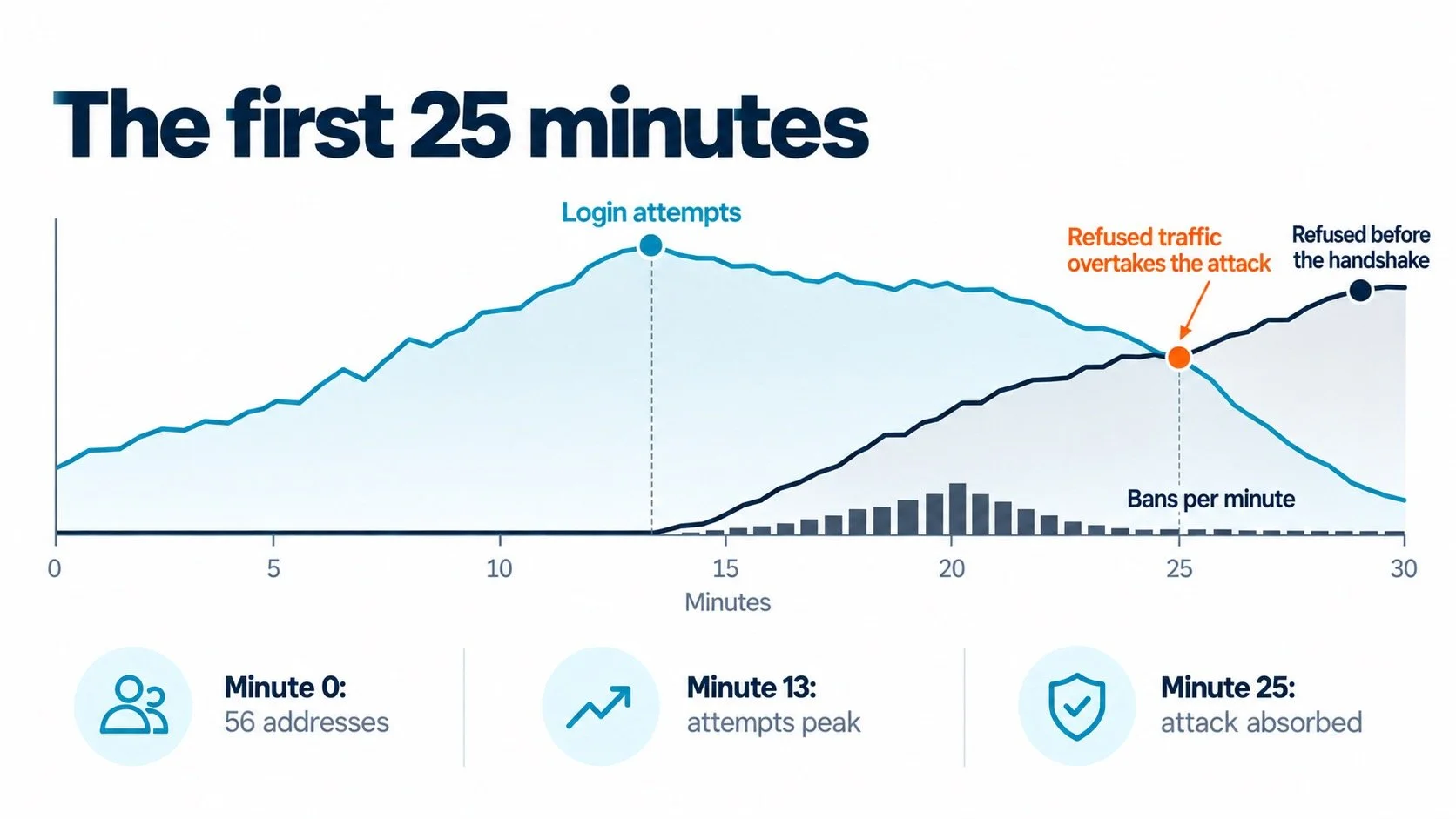
Each address made only a few guesses. The attack only shows up when you count them together.
Why per-address lockouts lose
A lockout rule counts failures per source address. A botnet simply has more addresses than your rule has patience.
Every address gets free guesses. With a five-failure lockout, each bot gets four attempts before it is noticed. Multiply by 800 addresses and the attacker has over 3,000 guesses before a single ban fires. The rule works exactly as designed, and the attacker budgets around it.
Slow beats short windows. Popular tools count failures inside a time window. fail2ban's defaults, for example, ban an address after 5 failures within 10 minutes, for 10 minutes. A bot that guesses once every three minutes never trips that rule, and a banned one comes back when the ban expires. The attack in our example ran at roughly one attempt per address per minute, deliberately paced.
Blocking networks does not help much either. The 813 addresses came from 653 different /16 networks. Banning ranges catches almost nothing extra and risks blocking real partners.
OpenSSH has improved here: since version 9.8, sshd penalizes addresses that fail to authenticate, and the feature is on by default (PerSourcePenalties). It is a good baseline, and worth confirming you run a recent version. But as the name says, it works per source, so the same arithmetic applies.
What attackers guess
The usernames tell you what the botnet is hoping to find, and which of your accounts are exposed.
| Who they guessed | Attempts | What it means for you |
|---|---|---|
root and admin | 980 and 575, about a third | Never allow root logins, and never name an account admin |
Crypto names: wallet, crypto, solana, exchange, monero | 951, about 19% | Bots look for high-value targets first; descriptive names advertise what you hold |
Default and service accounts: ubuntu, node, mysql, deploy, docker | ubuntu alone 397 | Default cloud image users and service accounts are on every list. Disable or rename them on any internet-facing host |
Hosting panel names: panel, whmc, cerberus | smaller share | Product and tool names are guessed too |
| First names from a dictionary | long tail | Accounts named after people are guessable as well |
The lesson is simple: on an internet-facing server, the username is half of the credential. If it is on a list, half of your secret is already public.
How to spot one in your own logs
A distributed attack is quiet per address and loud in aggregate. You will not see it by watching for one noisy IP; you see it by counting.
The signs to look for:
Many addresses, few failures each. Hundreds of sources with three to six failures apiece, rather than one source with thousands.
The same usernames from unrelated networks. Root, admin and a handful of service names, tried from addresses that have nothing in common.
A steady rate. Failures spread evenly across hours instead of arriving in a burst.
Guesses at accounts that do not exist. "Invalid user" lines are a sign someone is working from a list, not trying a stolen password.
We use OpenSSH for the examples because it is the most common SSH server on Linux, and most readers run it somewhere. On such a server, three commands cover it. They read the last 24 hours from the journal; the service is called ssh on Debian and Ubuntu and sshd on Red Hat based systems.
# How many different addresses failed to log in?
journalctl -u ssh --since "24 hours ago" | grep -E "Failed|Invalid" \
  | grep -oP 'from \K[0-9a-fA-F.:]+(?= port)' | sort -u | wc -l

# Which usernames are being guessed?
journalctl -u ssh --since "24 hours ago" \
  | grep -oP 'Invalid user \K\S+' | sort | uniq -c | sort -rn | head -20

# How many failures per address? (many low counts = distributed)
journalctl -u ssh --since "24 hours ago" | grep -E "Failed|Invalid" \
  | grep -oP 'from \K[0-9a-fA-F.:]+(?= port)' | sort | uniq -c | sort -rn | head
If your server writes to files instead of the journal, run the same pipelines against /var/log/auth.log (Debian, Ubuntu) or /var/log/secure (Red Hat). Commercial SFTP servers keep their own logs; look for the equivalent fields: source address, username and result.
Worth checking today: run the second command. If root, admin or any username that actually exists on your server shows up in the list, that account is being targeted right now, and the next section is for you.
What actually stops it
No single setting does the job. The defenses that work fall into two groups: take away what there is to guess, and make every guess expensive for the attacker and cheap for you.
| Defense | Stops one noisy attacker | Stops slow, distributed guessing | Notes |
|---|---|---|---|
| Lockout after a few failures per address | Yes | No | Every address still gets its free guesses |
| OpenSSH PerSourcePenalties | Yes | Partly | On by default since 9.8; still per source |
| Blocking IP ranges or countries | Sometimes | No | Attacks span hundreds of networks; real partners get caught |
| Key-only authentication | Yes | Yes | Nothing to guess. The strongest single step |
| Multifactor authentication | Yes | Yes | For partners who must use passwords |
| No root login, no guessable usernames | Partly | Partly | Removes the accounts every list starts with |
| Bans that remember for hours or days | Yes | Yes | Catches patient bots that pace themselves |
| Refusing banned sources before the SSH handshake | Yes | Yes | Keeps the attack cheap to absorb: no key exchange, no CPU spike |
| Bans that survive a restart | Yes | Yes | A reboot should not hand the attacker a clean slate |
The last three are the difference between a server that notices an attack and one that absorbs it. In the incident above, banned sources were refused at the connection gate before any key exchange: over 6,300 connections turned away cheaply, with the endpoint never going above 0.1% CPU.
One trap if you run a load balancer. To your SFTP server, every connection may appear to come from the load balancer's address. Without a safe-list entry, the protection that bans attackers can ban the load balancer instead, and take every partner offline with it. Add it to the safe-list before you need to.
A checklist for any SFTP server
For OpenSSH, most of the first group is a few lines of configuration:
# /etc/ssh/sshd_config
PermitRootLogin no
PasswordAuthentication no
KbdInteractiveAuthentication no
PubkeyAuthentication yes
MaxAuthTries 3
AllowGroups sftpusers
# PerSourcePenalties is on by default in OpenSSH 9.8 and later
Check the file with sshd -t before you reload, and keep a working session open while you test, so a typo does not lock you out. Confirm every partner has a working key before you switch passwords off.
Then, whatever server you run:
- Partners authenticate with keys, or with a password plus a second factor
- No account is called root, admin, test, or the name of your product
- Failed logins are banned with memory measured in hours, not minutes
- Banned sources are refused before the handshake, and bans persist across restarts
- Load balancers and monitoring probes are on the safe-list
- Someone reviews the log counts above once a month
The attack is not the risk. The quiet success is.
An attack that fails loudly is a non-event. The one to worry about is the guess that works: a forgotten test account, a partner's reused password, the one address that was never banned because it only tried twice. Distributed attacks are designed to find exactly that, slowly, without ever looking like an attack.
So the goal is not to stop seeing failed logins. You will always see them. The goal is that there is nothing to guess, and that every guess costs the attacker more than it costs you.
If you are deciding where your SFTP endpoint should live in the first place, where your files actually live and what it takes to put an SFTP endpoint on the internet cover the rest of the picture.
A note on where we stand: SFTP.cloud, which publishes this blog, does not run OpenSSH. It runs on our own SSH and SFTP engine, with this protection built into every endpoint. It is called Shield, it remembers attackers over time and refuses them before the handshake, and there is nothing for you to configure. The full story of the September attack is on our engineering blog, and the same protection now ships in Syncplify Server!.